Core capabilities
Create transparent PNG cutouts. Use erase and restore brushes to fix the matte. Save transparent, solid-color, or blurred-background results.
AI Background Remover creates transparent, solid-color, or blurred-background outputs and includes erase and restore brushes for correcting the cutout before saving.
No account or card required. Local-first Mac app.
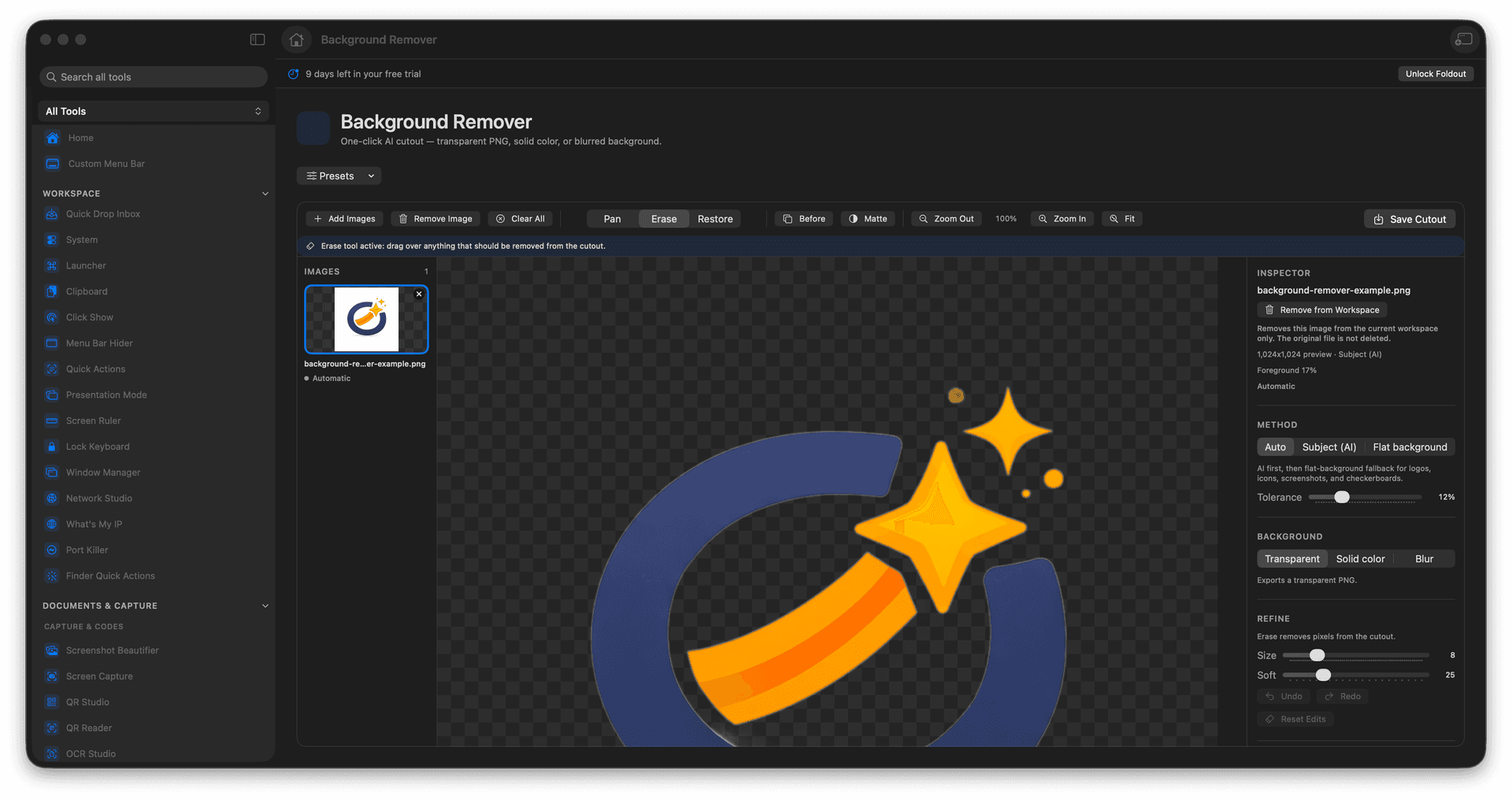
Create transparent PNG cutouts.
Use erase and restore brushes to fix the matte.
Save transparent, solid-color, or blurred-background results.
Concrete features, inputs, and workflow details for this tool.
Create transparent PNG cutouts. Use erase and restore brushes to fix the matte. Save transparent, solid-color, or blurred-background results.
Works with pNG, JPEG, HEIC, TIFF, and WebP images.
Add one or more images. Let Foldout create the first cutout. Use erase or restore to correct the result. Save the cutout output.
Common uses include product photos, profile images, logo cleanup, and social posts.
Add one or more images.
Let Foldout create the first cutout.
Use erase or restore to correct the result.
Save the cutout output.
Yes. Erase removes unwanted kept pixels, and Restore brings subject pixels back.