Core capabilities
Inspect detected metadata categories. Strip EXIF, GPS, PDF info, media tags, and document metadata where supported. Save cleaned sibling files.
Metadata Cleaner inspects supported files for image, PDF, media, and document metadata, then writes cleaned output copies.
No account or card required. Local-first Mac app.
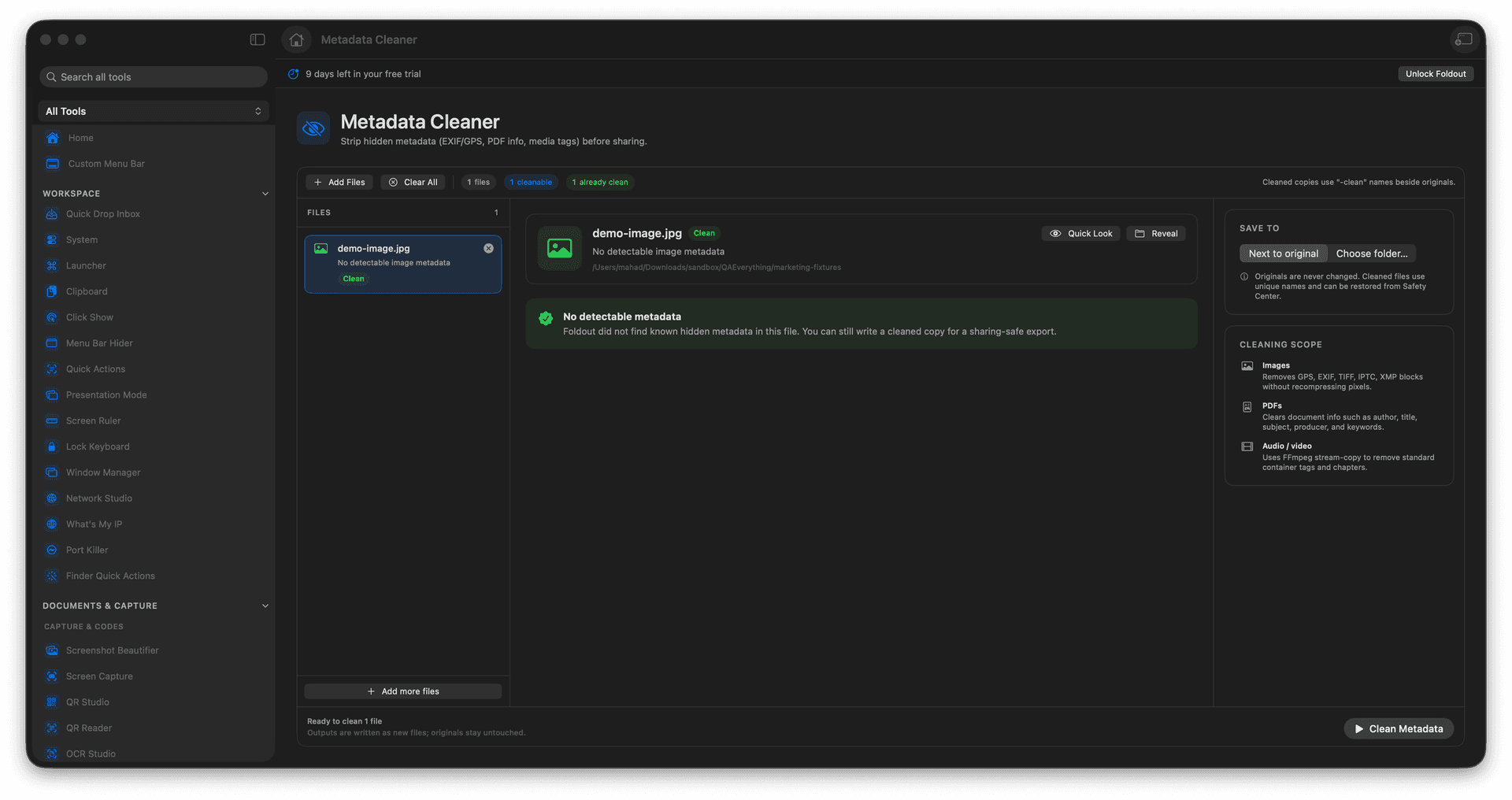
Inspect detected metadata categories.
Strip EXIF, GPS, PDF info, media tags, and document metadata where supported.
Save cleaned sibling files.
Concrete features, inputs, and workflow details for this tool.
Inspect detected metadata categories. Strip EXIF, GPS, PDF info, media tags, and document metadata where supported. Save cleaned sibling files.
Works with images, PDFs, audio, video, and documents where supported.
Add files. Review detected metadata. Choose the files to clean. Save cleaned outputs.
Common uses include sharing photos, client documents, media handoff, and privacy checks.
Add files.
Review detected metadata.
Choose the files to clean.
Save cleaned outputs.
No. Metadata inspection and cleaning run locally in Foldout.